rmtdos 0.2: Remote Control for DOS PCs over Ethernet
rmtdos lets you see and control a DOS PC from another computer, over the local network. You load a small resident program on the DOS PC (the server), and from a client you see its text screen and type on it, as if you sat in front of it. The original project was written by Dennis Jenkins. Version 0.2 is my fork of it. This article tells what it is, what I added, and how it was measured. A second article, the rmtdos protocol: V1, my improvements and V2, goes deep into the protocol.
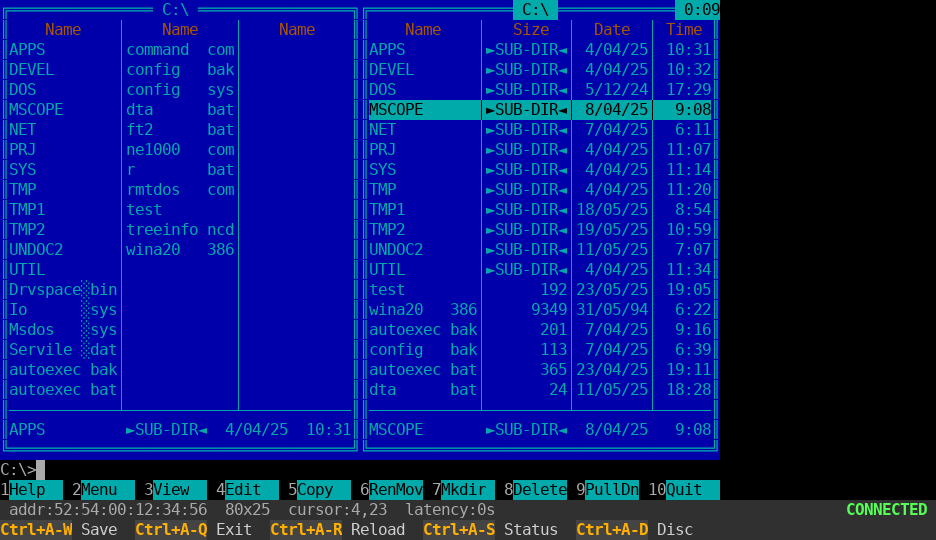
Here is a 68-second demo: an IBM PC/XT controls a 386 over the network, and then the Linux client does. Watch it on YouTube.
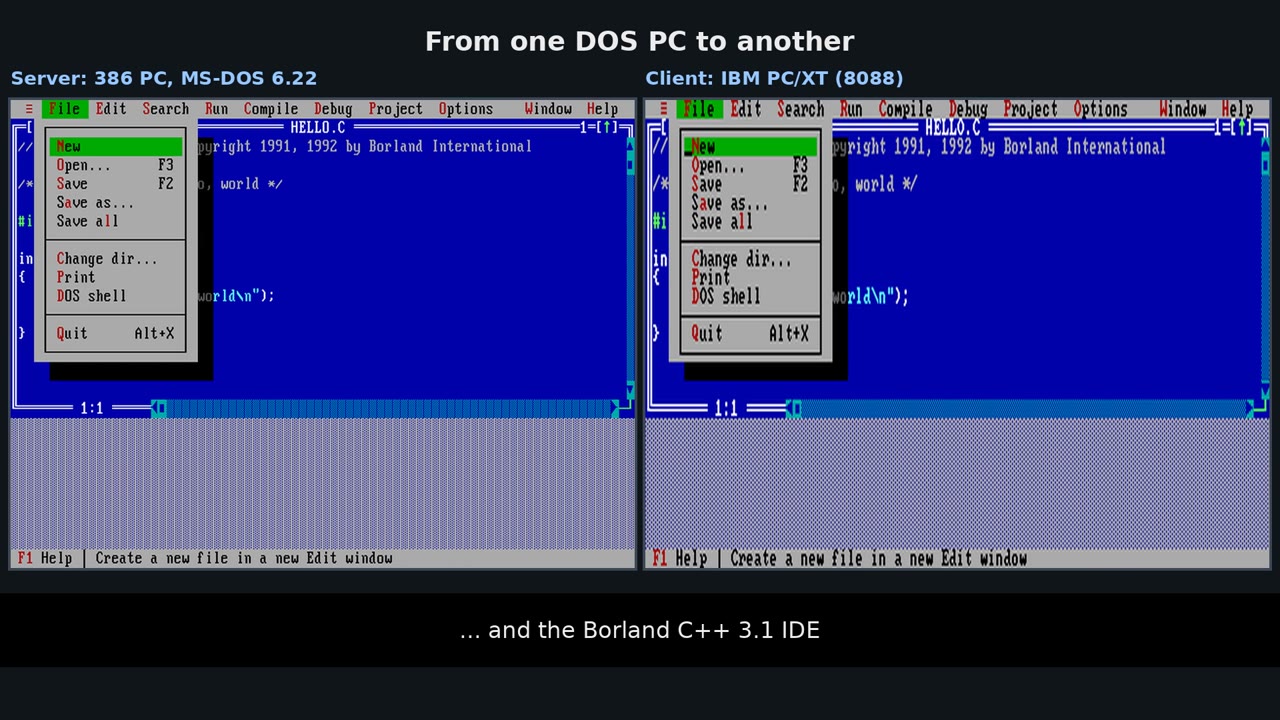
How it works
rmtdos is built on three facts about a DOS text screen.
- The screen is a block of memory at segment
B800h, two bytes for each character cell: the character and its colour. An 80x25 screen is 4,000 bytes. To “send the screen” is to copy those bytes. - The keyboard is a small ring buffer in BIOS memory, 15 keys. To “type a key” on the server is to put a key code in that buffer, and the DOS program reads it as if a person had pressed the key.
- The BIOS timer interrupt happens 18.2 times a second. That is the tick of the server, and all its work starts there.
The server is a TSR (terminate and stay resident): it loads, goes resident and gives the DOS prompt back. Then it works in the background, inside interrupt handlers, while you run any text-mode DOS program. It talks to the network card through a packet driver, the standard DOS interface to network cards.
No TCP/IP
rmtdos does not use IP, UDP or TCP. It sends raw Ethernet frames with its own EtherType, 80AB. The reason is memory: a resident TCP/IP stack for DOS needs far more than the whole server (one of them needs 73 KB), and mTCP cannot run inside a TSR. The price is that the client and the server must be on the same Ethernet segment, so it does not cross a router. rmtdos registers only its own EtherType, so mTCP programs can use the same packet driver at the same time.
What version 0.2 adds
Protocol V2. The first protocol sends the screen in groups of rows, as many whole rows as fit in one Ethernet frame. On an 80x25 screen that is three groups of up to nine rows. A new character sends its whole group, a cursor move sends a group, and a scroll sends the whole screen, about 4,100 bytes, on every tick. That is cheap for the network, but not for an IBM PC/XT: an 8-bit network card moves each byte with a loop of 30 to 40 CPU cycles, and the server does this inside the timer interrupt. While it sends, the DOS program does not run. When the screen scrolled, the DOS program kept only 21% of the CPU.
V2 uses four ideas:
- Rows, not groups. The server keeps a checksum for each row and sends only the rows that changed. A new character costs one row.
- Scroll as an operation. When the screen scrolls, the rows did not change, they moved. The server finds this and sends a 2-byte “scroll up N lines” operation and then only the new rows. A scroll of one line costs about 200 bytes on the wire.
- The cursor is in the header of every packet. A cursor move alone is a small packet.
- Lost packets repair themselves. Packets have sequence numbers, and a client that sees a gap asks for the whole screen. The server also sends one row again on a schedule, so a wrong row is correct again after a few seconds.
The server also costs less when nothing happens: after one second without a change it scans the screen only every fourth tick, and keys now go into the BIOS buffer when the frame arrives, not on the next tick.
I measured it on emulated PCs, with a benchmark program on the server and a client connected. “Speed” is the work the benchmark does, compared with the work it does without a client:
| XT, V1 | XT, V2 | 386, V1 | 386, V2 | |
|---|---|---|---|---|
| speed, screen does not change | 67% | 87% | 98% | 99% |
| speed, screen scrolls | 21% | 55% | 98% | 98% |
bytes for typing ver | 18,196 | 4,188 | 9,478 | 3,252 |
| bytes while the screen scrolls (5 s) | 261,564 | 32,664 | 245,164 | 27,860 |
On the XT, a program that scrolls the screen now gets 55% of the CPU, not 21%: 2.6 times more work. Typing a command sends 77% fewer bytes. The cost is that an idle screen now sends about 250 bytes a second, the refresh rows, which is what repairs lost packets. On the 386 the server costs only 1% to 2% of the CPU in both versions.
V2 is not compatible with V1, and I did it on purpose. The server is a TSR, so every byte stays in memory (and rmtdos.com is already 2 KB larger, 19,646 bytes). Both versions at once would also remove the gain: the server does one scan for all clients, and with a V1 client connected it would have to run the V1 path too, the one that took the XT to 21%. Use a server and clients of the same version.
A DOS client, rmtcli.com. One DOS PC can now control another. It runs on an 8088 and newer, needs a packet driver, shows only 80x25 text screens, and leaves with Alt+F10 with a summary of the session (packets, resyncs, send errors).
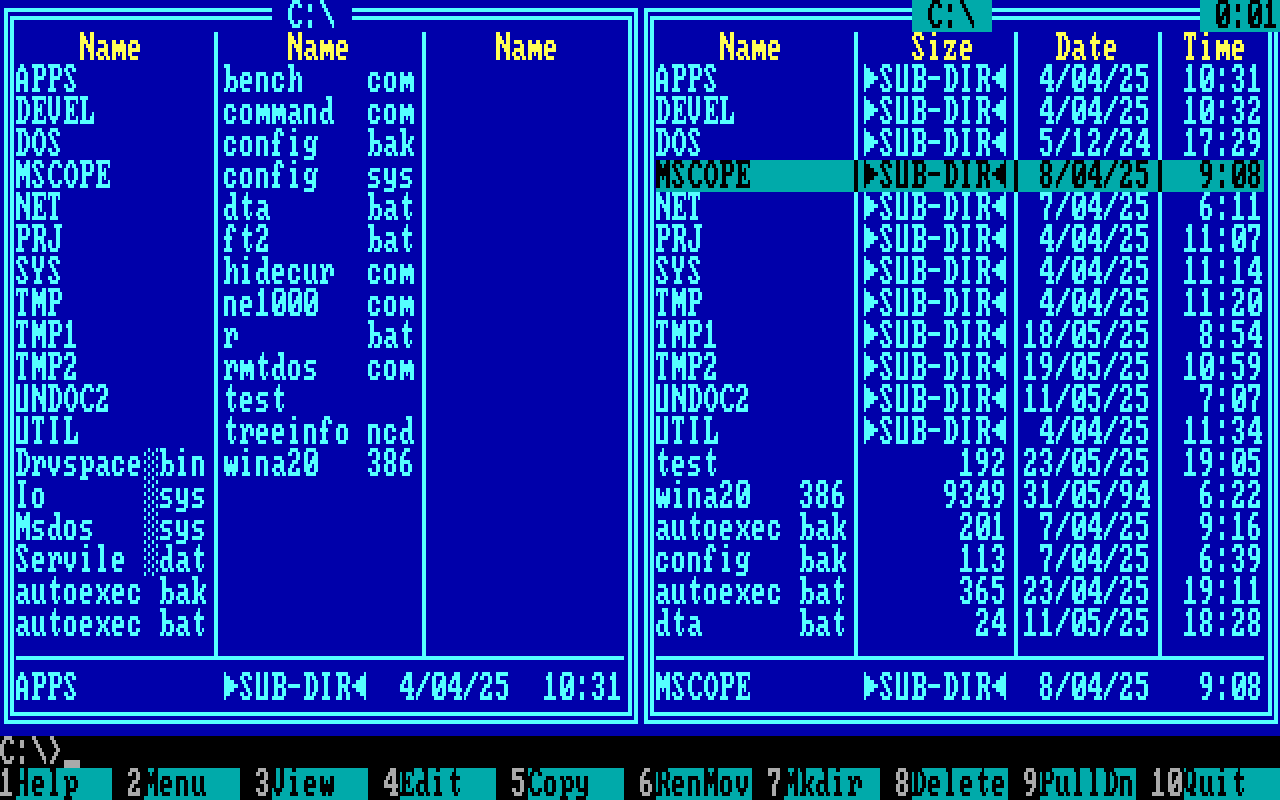
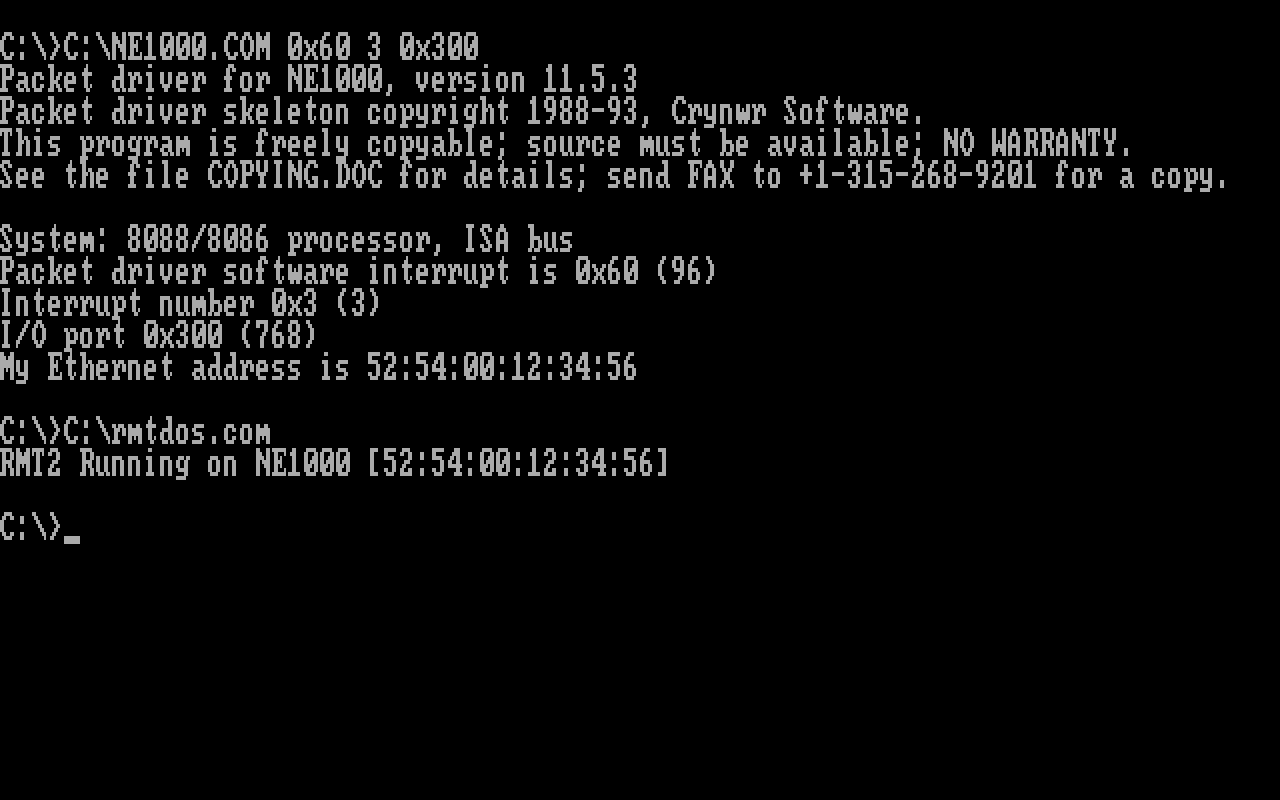
XT support. An XT BIOS has no key-injection function (INT 16h AH=05), so the server now writes the keys directly into the BIOS keyboard buffer, and when the buffer is full the keys wait in a queue. A bug that only showed on the XT is fixed too: the resident code did not clear the direction flag, and it corrupted memory when DOS copied memory backwards. It appeared as “Memory allocation error” when Norton Commander started.
A better Linux client. It lists the servers it finds, with their MAC address, video mode and screen size.
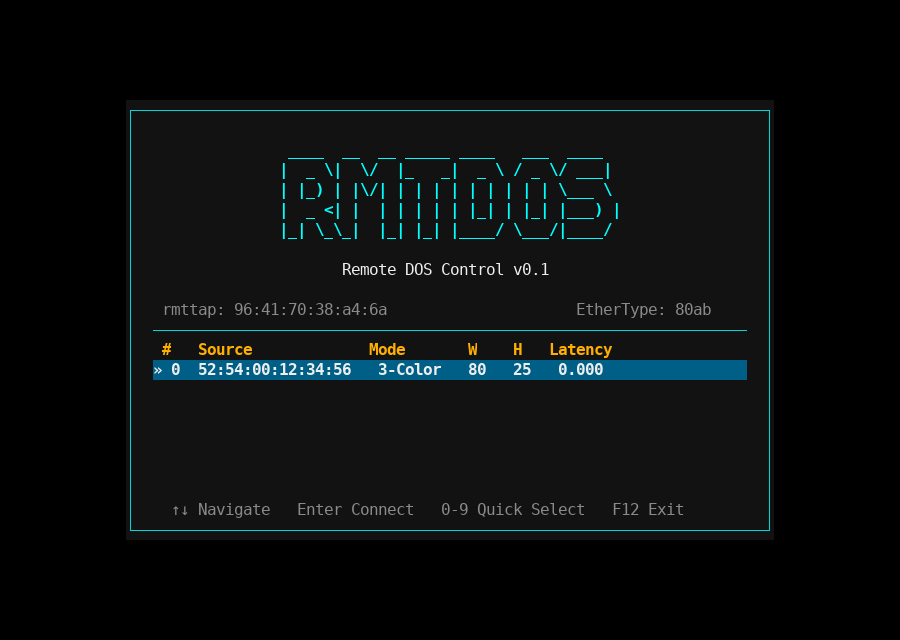
There is a command prefix key (Ctrl+A), screenshots as text, ANSI or PNG, a paste of long text that is sent in small batches so the 15-key BIOS buffer does not overflow, and colour skins in rmtdos.ini.
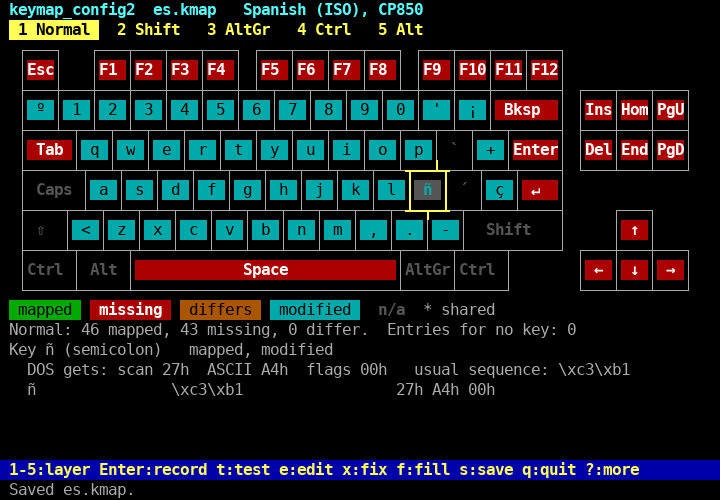
Keymaps and an editor. A terminal does not send key codes, but byte sequences, and each terminal sends different ones. The Linux client uses a keymap file to change each sequence into the DOS key. A new editor, keymap_config2, draws the keyboard (US, UK, Spanish, French and Danish layouts), one layer at a time. The colour of each key shows if it is mapped, missing or gives the wrong DOS values, and you record a key by pressing it.
How it was tested
Everything in this version was tested on emulated PCs: an IBM PC/XT and a 386, in my own emulator, emu_x86. A small kit of scripts starts a server and a client on two emulated machines, with a virtual network between them, and runs checks. The pair of an XT and an XT passes all 17 of them. There are also unit tests of the protocol and the keymap editor on the host.
I have not tried it on real hardware yet, and that is the main caveat of this version. The measurements come from the emulator and could differ on real machines, though I expect the same direction. Other open items:
- the DOS client picks the first server that answers, and shows only 80x25 colour text screens;
- the server needs a check on an AT-class BIOS and on a monochrome screen;
- on an XT with a scrolling screen, 55% is better than 21% but still not 100%, and I do not yet know where the rest goes.
Where it stands
The programs are rmtdos.com for any PC from the 8088 up, rmtdos3.com for a 386 or later, rmtcli.com for DOS, and rmtdos-client and the keymap editors for Linux. Everything is built on Linux, the DOS programs with Open Watcom v2. The licence is GPL 2 or later. My fork is not public yet, and I have not made the 0.2 release, so for now use the original project.