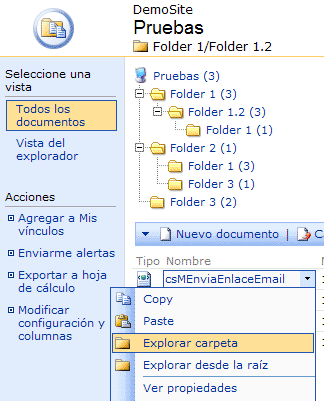
Well, there is a preliminary version available, I’m testing it in my production machine and the result at the moment its perfect.
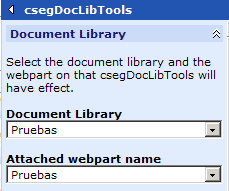
The properties are separated in two groups, the first group, contains the document library on which it works and the webpart if this is attached to one.
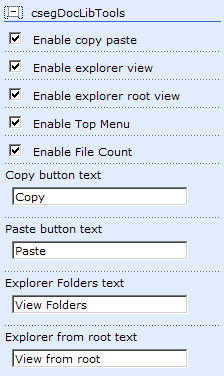
The second group contains the webpart options. The four new options in the context menu, (Copy, Paste, Explore from here and Explore from root). There is also an option to show the files inside of the folder when the tree view is showed and an option to enable and disable the top menu.
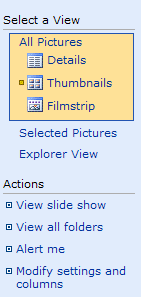
There are things that I do not understand (too many) of SharePoint, today I have paid attention in the actions menu in image libraries, there is an action called “View all Folders” that not exist in document libraries, trying to solve this problem, I have had the idea to how to do a pretty webpart to Copy and Paste documents in documents libraries (this is in mind).
But, first les us solve the problem of view all folders in document libraries. I have spent an interesting short time while seeing as the pages generated by sharepoint work, and there is an stupid trick to solve the problem. It is enough with adding a link with javascript.
Yesterday looking a XML editor to edit complex xml files that I have in a Project that E&Y did in my company, I downloaded a trial version from Stylus Studio XML IDE and I’m really surprised. We could make a hard work in minutes. (Edit the data in a grid, sort the grid by levels and sublevels etc…)
Normally I dont need tools like this for my diary work but I am considering this for my personal use (home edition is only 49$.)
Imagine test your webparts without compile, imagine an VBA for sharepoint, that was what I imagined yesterday and this is here… I have desire to say Yeahhhhh
Screenshoots (better an image than thousand words)
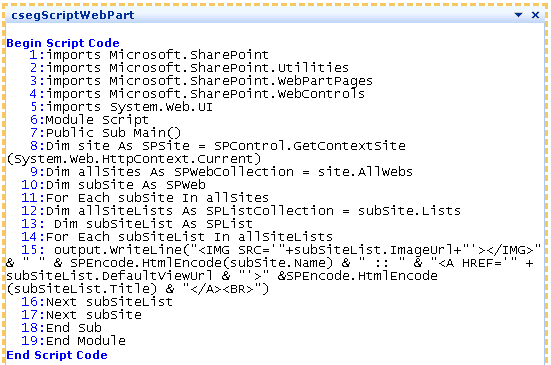
csegScript showing code
Properties
Show Code – Show the code with line numbers to identificate errors Run Code – The code is executed when you applies changes Script References – Write here the references of the project (.dll files)
SharePoint - Loading html documents inside of sharepoint pages
One of the problems that I have been is when I have html documents in a document library and show this in a webpart page with the webcontent webpart. (I’m using the csegContent webpart that gets a querystring)
Sharepoint index them and after when you search, the query results show a link to them but when you load the document the context is missing, you have a window with the complete page without menu, quicklaunch etc…
SharePoint - Playing with csegScript
Some users of csegRollUp2 ask to me how to get the complete list of fields for a list, remember that you can use the internal names with csegRollUp. Now you can use csegScript to show all fields and types of any list.
Change the red code with the name of your list, and put the webpart in the site where the list is stored.
I am working in three webparts for handling alerts in Sharepoint, as advance here is first of them.
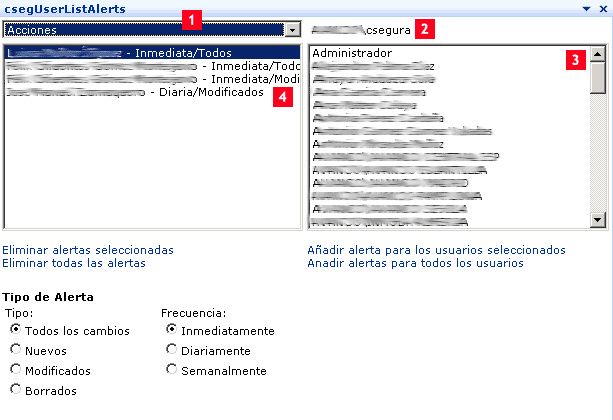
csegUserListsAlerts
This webpart shows
A drop-down list with all the lists of the Web site in where it is located.
The name of the current user
One lists with all the users of the Web site
The alerts for the selected list
You can do:
Eliminate the selected alert Eliminate all alerts for the current list Add alert to selected users (specify type and frecuency) Add alerts to all users
Some people ask me about samples of transformations, XSL to use with the csegRollUp webpart. First of all, I adopted XSL because it is the best way to customize any webpart.
I’m using mainly XMLSpy in work, but those days in my laptop I’m using too a freeware application to edit XSL called “cooktop” written by Victor Pavlov, it is a xsl, xpath and dtd editor, you can use the XML debug output from csegRollUp and test your XSL.